
Documentation Index
Fetch the complete documentation index at: https://fireblocks-43c4b3ee-chore-add-cli.mintlify.app/llms.txt
Use this file to discover all available pages before exploring further.
Upload Contract Template
This guide explains how to use the/v1/tokenization/templates endpoint. This endpoint allows you to upload smart contract templates to your Fireblocks workspace, using the Fireblocks Tokenization API.
What are Contract Templates?
Contract Templates are one pillar of the Fireblocks Tokenization, built to streamline the process of deploying smart contracts. They serve as reusable blueprints for smart contracts, allowing developers and organizations to standardize their contract deployments across various projects and use cases. Contract Templates can be used to:- Follow upgradable patterns, where the logic contracts (implementation) are deployed once, and proxy contracts pointing to the implementation are deployed on-demand.
- Create a library of reusable token utilities for different use cases.
- Deploy a set of contracts or an entire protocol by using the Factory pattern.
Prerequisites
Before using this endpoint, ensure you have:- Compiled your contract’s code (e.g. Solidity) into bytecode (required)
- Generated ABI (Application Binary Interface) from the compilation process (required)
- Written NatSpec comments in your contract (optional, but recommended for better documentation)
Example: Uploading a Counter Contract Template
Let’s walk through uploading a simpleCounter contract template.
1. Contract Code
Here’s a simple Counter contract:2. Bytecode
After compilation, you’ll get the bytecode. Depending on the tool/framework being used (e.g. Foundry, Hardhat, solc), you may find the bytecode in different location, and in a different property inside the artifact object.-
Foundry: Saves the contract artifacts in
out/directory. -
Hardhat: Saves the contract artifacts in the
artifacts/directory. For brevity, we’ll use a placeholder variable :
3. ABI
The ABI is also part of the compilation artifact. For theCounter contract it would look like this:
4. Uploading the Contract Template
Here’s a TypeScript example of how to upload this contract template:5. Viewing the Uploaded Template
After uploading, you can retrieve the template using its ID:Endpoint Model
Contract Template Type
Thetype field in the template is crucial:
- Use
FUNGIBLE_TOKENfor ERC-20 tokens - Use
NON_FUNGIBLE_TOKENfor ERC-721 or ERC-1155 tokens - Use
TOKEN_UTILITYfor everything else, including generic smart contracts like our Counter example
Documentation Field
Thedocs field is used to populate “tooltips” for constructor/initialization parameters at deploy time.
This is an example of what the tooltips look like in the Fireblocks Console:
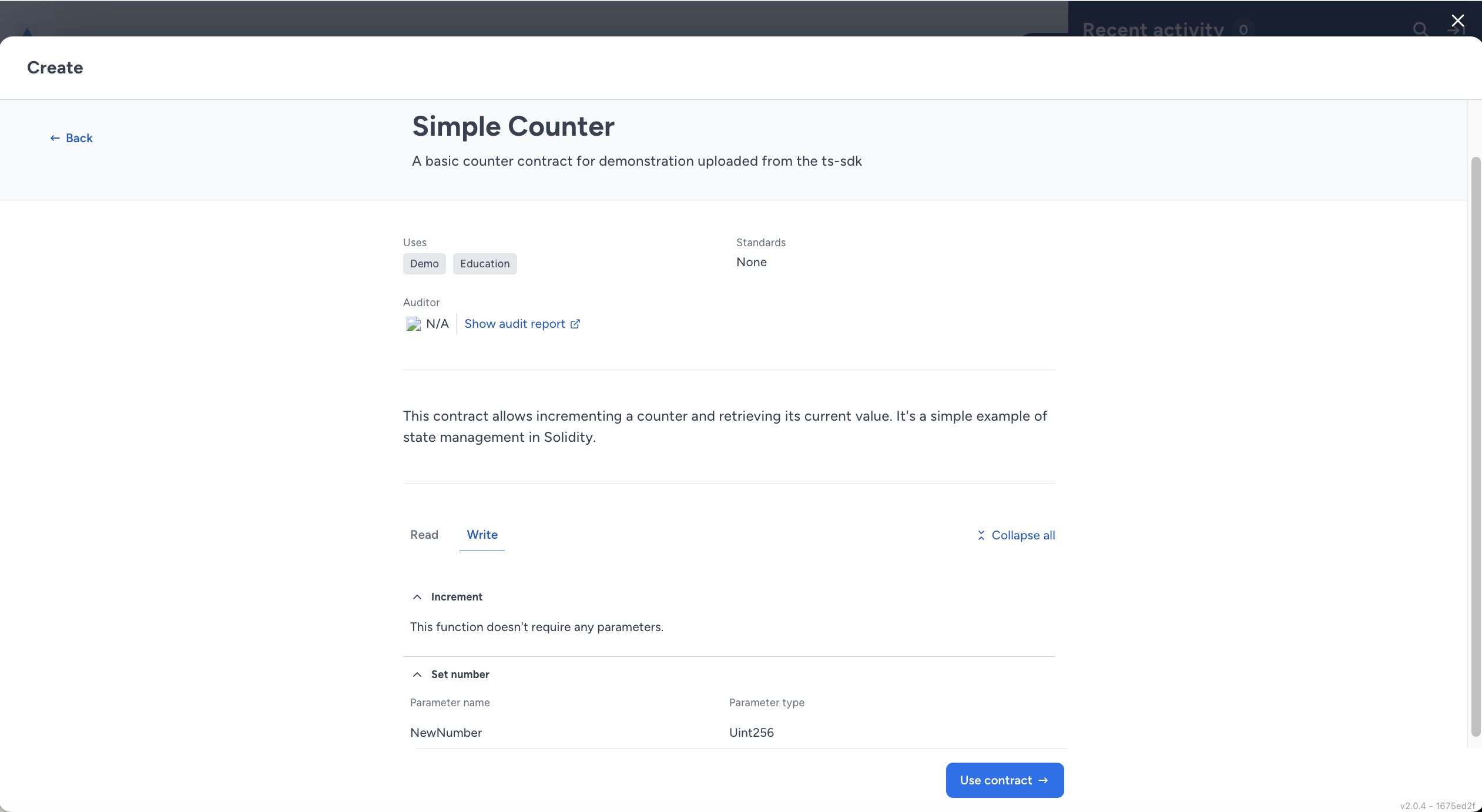 These tooltips provide valuable context and guidance during the deployment process. In some cases, the user deploying a contract from this template are not those who created the contract. As a template publisher, you can improve the user experience and reducing potential errors by providing a comprehensive
 docs field.
Gotchas and Tips
- Ensure your bytecode is prefixed with “0x” when submitting.
- The ABI must be a valid JSON array of function descriptions.
- NatSpec comments in your Solidity code can be used to inform the
docsfield. - The
attributesfield is optional but highly recommended for better categorization and searchability in the template library.